Free classic quote template: black and white, HTML to PDF
Published 2 min read
Free template
Use this template for free
Create a free account, make a new template in the Code mode and paste the HTML below. Then send your own data from the API.
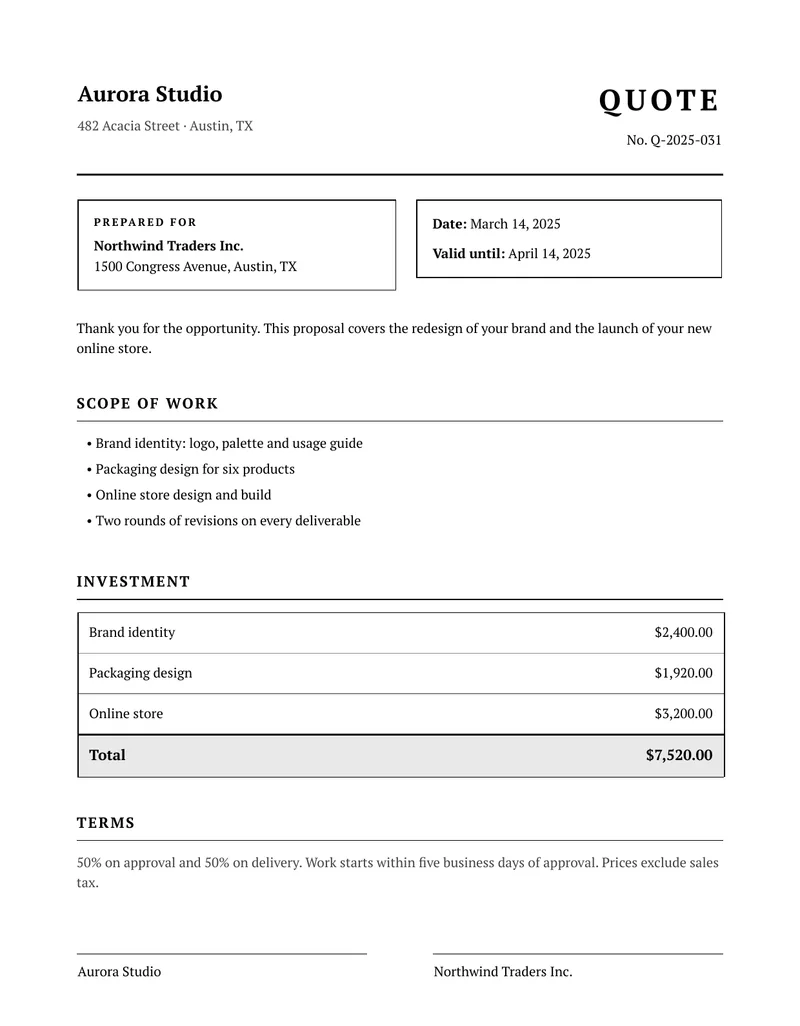
This is the classic style: a serif typeface, black and white, thin rules and a boxed table. It looks the same on any printer, in color or in black and white, and it suits formal documents. A quote, or a proposal, is the document that decides whether a job starts. This one states what is included, what it costs, how long the offer lasts and what the terms are, and it ends with space for both sides to sign. Below you can download the sample PDF and copy the code.
What is in the template
- The company name and the quote number and title.
- A prepared-for block with the customer, the date of the quote and the date until which it is valid.
- A short introduction in your own words.
- A scope of work list, one line per deliverable.
- An investment table with a price per item and a total, in the right currency.
- A terms paragraph, for payment and start dates.
- Two signature lines, one for your company and one for the customer.
How to use it
In the portal. Create a free account, click New template, switch to the Code mode and paste the HTML below. You get a live preview.
From the API. Download the HTML and the sample data and send both in one request. This example uses jq to put the files in the body:
curl -X POST https://api.rustedf.com/v1/render \ -H "Authorization: Bearer $RUSTEDF_KEY" \ -H "Content-Type: application/json" \ -d "$(jq -n --rawfile html quote-classic.html --slurpfile data quote-classic-data-en.json \ '{html: $html, data: $data[0], locale: $data[0].locale}')" \ -o quote.pdfOnce you like the result, save the HTML as a template and call it by its id from your code.
Make it yours
- Look. The grays of the header row and of the totals are plain hex colors in the CSS. Change them, or make them white, to print with less ink.
- Scope, lines and validity. Scope and lines are lists in the data, so you add or remove entries and the document follows. The
valid_untildate makes the offer expire on a day you choose. - Logo. Add your logo as
<img src="asset:<id>" width="120">after uploading a PNG or JPEG once. - Fonts. The template names
PT Serif, and any Google Fonts family works by name; there is nothing to link. - Language. Every label comes from the
tobject of the data, so the same template issues documents in any language you can write.
A note on keeping the signatures together
If your scope grows and the document runs to a second page, add break-inside: avoid to the signature block, so the two lines are never split away from the terms. See the guide on page breaks for how.
Other styles
The same data works with the other styles of this document:
See Templates / Locales and formatting.
The template code
<!doctype html>
<html>
  <head>
    <meta charset="utf-8" />
    <style>
      @page { size: A4; margin: 18mm; }
      body { font-family: "PT Serif", serif; font-size: 10pt; color: #000000; line-height: 1.5; }
      table { width: 100%; border-collapse: collapse; }
      td, th { vertical-align: top; }
      p { margin: 0; }
      .muted { color: #444444; }
      .right { text-align: right; }

      .name { font-size: 16pt; font-weight: bold; margin-bottom: 1.5mm; }
      .kind { font-size: 22pt; font-weight: bold; text-transform: uppercase; letter-spacing: 3pt; text-align: right; }
      .ref { text-align: right; margin-top: 2mm; }
      .rule { border-top: 2px solid #000000; margin: 6mm 0 6mm 0; }

      .box { border: 1px solid #000000; padding: 3.5mm 4mm; }
      .label { font-size: 8pt; font-weight: bold; text-transform: uppercase; letter-spacing: 1.4pt; margin-bottom: 1.5mm; }

      h2 { font-size: 11pt; text-transform: uppercase; letter-spacing: 1.2pt; margin: 9mm 0 3mm 0; padding-bottom: 1.5mm; border-bottom: 1px solid #000000; }
      ul { margin: 0; padding-left: 5mm; }
      li { margin-bottom: 1.5mm; }

      .price { border: 1px solid #000000; }
      .price td { padding: 2.6mm 3mm; border-bottom: 1px solid #8a8a8a; }
      .price .total td { background: #e9e9e9; font-weight: bold; font-size: 11pt; border-top: 2px solid #000000; border-bottom: 0; }

      .sign { margin-top: 16mm; }
      .sign td { width: 45%; padding-top: 2mm; border-top: 1px solid #000000; }
      .sign .gap { width: 10%; border-top: 0; }
    </style>
  </head>
  <body>
    <table>
      <tr>
        <td style="width: 55%">
          <p class="name">{{ company.name }}</p>
          <p class="muted">{{ company.line1 }}</p>
        </td>
        <td>
          <p class="kind">{{ t.title }}</p>
          <p class="ref">{{ t.number }} {{ number }}</p>
        </td>
      </tr>
    </table>

    <div class="rule"></div>

    <table>
      <tr>
        <td style="width: 52%; padding-right: 5mm">
          <div class="box">
            <p class="label">{{ t.prepared_for }}</p>
            <p><strong>{{ customer.name }}</strong><br />{{ customer.line1 }}</p>
          </div>
        </td>
        <td>
          <div class="box">
            <p><strong>{{ t.date }}:</strong> {{ issued | date(style="long") }}</p>
            <p style="margin-top: 2.5mm"><strong>{{ t.valid_until }}:</strong> {{ valid_until | date(style="long") }}</p>
          </div>
        </td>
      </tr>
    </table>

    <p style="margin-top: 7mm">{{ intro }}</p>

    <h2>{{ t.scope }}</h2>
    <ul>
      {% for item in scope %}
      <li>{{ item }}</li>
      {% endfor %}
    </ul>

    <h2>{{ t.investment }}</h2>
    <table class="price">
      {% for line in lines %}
      <tr>
        <td>{{ line.name }}</td>
        <td class="right">{{ line.amount | currency(code=currency) }}</td>
      </tr>
      {% endfor %}
      <tr class="total">
        <td>{{ t.total }}</td>
        <td class="right">{{ total | currency(code=currency) }}</td>
      </tr>
    </table>

    <h2>{{ t.terms }}</h2>
    <p class="muted">{{ terms }}</p>

    <table class="sign">
      <tr>
        <td>{{ t.sign_company }}</td>
        <td class="gap"></td>
        <td>{{ t.sign_customer }}</td>
      </tr>
    </table>
  </body>
</html>
The sample data
{
  "locale": "en-US",
  "currency": "USD",
  "number": "Q-2025-031",
  "issued": "2025-03-14",
  "valid_until": "2025-04-14",
  "company": {
    "name": "Aurora Studio",
    "line1": "482 Acacia Street · Austin, TX"
  },
  "customer": {
    "name": "Northwind Traders Inc.",
    "line1": "1500 Congress Avenue, Austin, TX"
  },
  "intro": "Thank you for the opportunity. This proposal covers the redesign of your brand and the launch of your new online store.",
  "scope": [
    "Brand identity: logo, palette and usage guide",
    "Packaging design for six products",
    "Online store design and build",
    "Two rounds of revisions on every deliverable"
  ],
  "lines": [
    {
      "name": "Brand identity",
      "amount": "2400.00"
    },
    {
      "name": "Packaging design",
      "amount": "1920.00"
    },
    {
      "name": "Online store",
      "amount": "3200.00"
    }
  ],
  "total": "7520.00",
  "terms": "50% on approval and 50% on delivery. Work starts within five business days of approval. Prices exclude sales tax.",
  "t": {
    "title": "Quote",
    "number": "No.",
    "prepared_for": "Prepared for",
    "date": "Date",
    "valid_until": "Valid until",
    "scope": "Scope of work",
    "investment": "Investment",
    "total": "Total",
    "terms": "Terms",
    "sign_company": "Aurora Studio",
    "sign_customer": "Northwind Traders Inc."
  }
}Keep reading
More styles
Google Fonts in a PDF: use font-family without @font-face
Use any Google Fonts family in a PDF by naming it in CSS. How the font is fetched and cached, the built-in fallbacks, bold and italic, and what does not work.
3 min read
More styles
Free classic receipt template: black and white, HTML to PDF
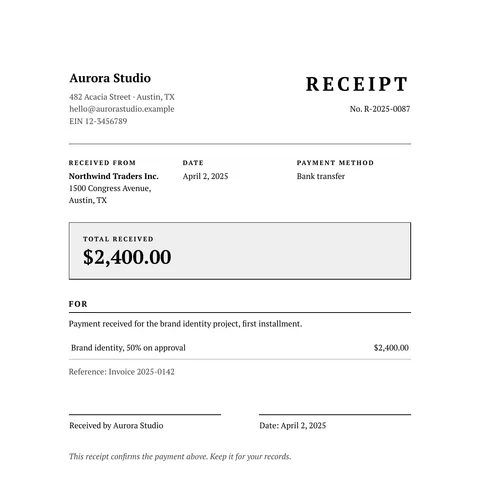
A free classic receipt in HTML and CSS: serif type, a double frame, the payer, the amount received and a signature line. Copy it and use your own data.
2 min read
More styles
Free modern invoice template with a colored header, HTML to PDF
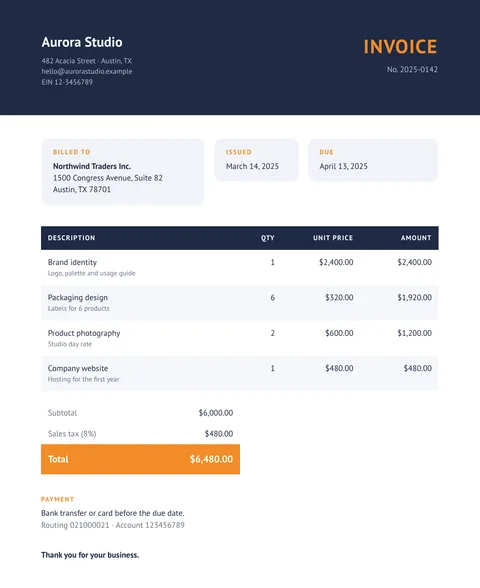
A free modern invoice in HTML and CSS: a dark header band, rounded cards, striped rows and an accent color for the total. Copy it and use your data.
2 min read
More styles
Free minimal invoice template: clean and simple, HTML to PDF
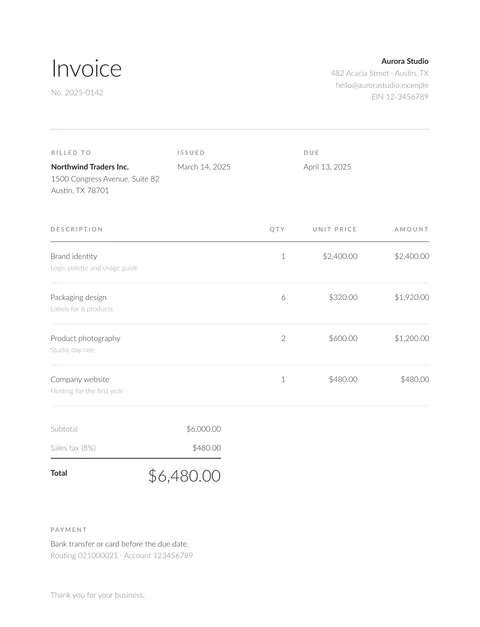
A free minimal invoice in HTML and CSS: light type, white space and hairlines, with no color at all. Copy the code and fill it with your own data.
2 min read