Free event ticket template with a QR code and a barcode
Published 3 min read
Free template
Use this template for free
Create a free account, make a new template in the Code mode and paste the HTML below. Then send your own data from the API.
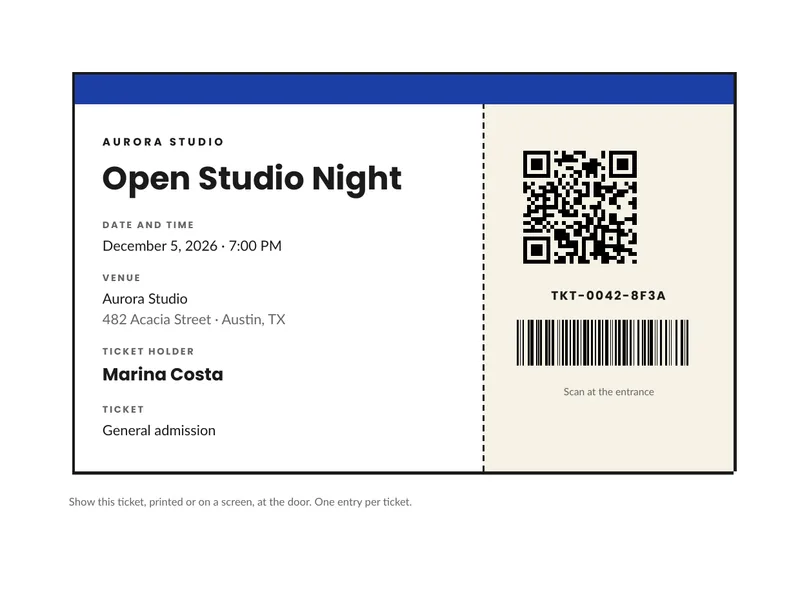
A ticket is a small document with a job to do: tell the holder where and when, and give the door something to scan. This one is an event ticket in HTML and CSS, with a stub that holds a QR code and a barcode drawn by the template itself. You fill in the event and the holder, and each request gives you one ticket as a PDF. Below you can download the sample PDF, copy the code and see the data it takes.
What is in the template
- A colored band and the name of the organizer.
- The event name in large type, with the date and time, the venue and its address.
- The ticket holder and the type of ticket, for example general admission.
- A stub separated by a dashed line, with a QR code, the ticket code in text and a barcode of the same code, and a short line telling the holder to scan it at the entrance.
- A line of terms below the ticket.
How to use it
In the portal. Create a free account, click New template, switch to the Code mode and paste the HTML below. You get a live preview.
From the API. Download the HTML and the sample data and send both in one request. This example
uses jq to put the files in the body:
curl -X POST https://api.rustedf.com/v1/render \ -H "Authorization: Bearer $RUSTEDF_KEY" \ -H "Content-Type: application/json" \ -d "$(jq -n --rawfile html ticket.html --slurpfile data ticket-data-en.json \ '{html: $html, data: $data[0], locale: $data[0].locale}')" \ -o ticket.pdfEach ticket is one render with its own data. To issue a batch, call the endpoint once per ticket from
a loop in your own code, with a different holder and a different ticket.code and ticket.url.
How the codes work
The QR code is drawn from the ticket.url value and the barcode from ticket.code, with two
filters:
{{ ticket.url | qr(size=38) | safe }}{{ ticket.code | barcode(width=50, height=12) | safe }}Both are vector shapes, so they stay sharp when printed. The QR code holds up to 1000 bytes of text. The
barcode is Code 128 and holds up to 80 letters, digits and punctuation, without accents, so use a plain
code such as TKT-0042-8F3A and not a name. The guide to QR codes and barcodes
has the sizes and limits.
A note on security
A code on a PDF is only as reliable as the check at the door. Give every ticket a unique code that cannot be guessed, keep the list of valid codes in your own system, and mark a code as used the first time it is scanned. The PDF does not stop someone from copying a ticket; your system does.
Make it yours
- Event and venue. They come from the
eventobject of the data. Change the text and the date and the ticket follows. - Colors and fonts. The blue band is a hex color in the CSS. The template names
LatoandPoppins, and any Google Fonts family works by name. - Logo. Add your logo as
<img src="asset:<id>" width="120">after uploading it once. - Language. The labels come from the
tobject, so the same template issues tickets in any language you can write.
The template code
<!doctype html>
<html>
  <head>
    <meta charset="utf-8" />
    <style>
      @page { size: A4; margin: 16mm; }
      body { font-family: Lato, sans-serif; font-size: 9.5pt; color: #1b1b1b; line-height: 1.45; }
      h1, .org, .label, .code { font-family: Poppins, Lato, sans-serif; }
      table { border-collapse: collapse; }
      td { vertical-align: top; }
      .muted { color: #666666; }

      .ticket { width: 100%; border: 3px solid #1b1b1b; }
      .band { height: 8mm; background: #1d3fa6; }
      .main { width: 63%; padding: 8mm 8mm 8mm 8mm; }
      .stub { width: 37%; padding: 8mm 6mm 6mm 6mm; border-left: 2px dashed #1b1b1b; text-align: center; background: #f6f2e6; }

      .org { font-size: 8pt; font-weight: bold; letter-spacing: 2pt; text-transform: uppercase; margin: 0 0 3mm 0; }
      h1 { font-size: 24pt; font-weight: bold; line-height: 1.05; margin: 0 0 6mm 0; }
      .label { font-size: 7pt; font-weight: bold; letter-spacing: 1.2pt; text-transform: uppercase; color: #666666; margin: 4mm 0 1mm 0; }
      .value { font-size: 10.5pt; margin: 0; }
      .holder { font-family: Poppins, Lato, sans-serif; font-size: 13pt; font-weight: bold; margin: 0; }

      .code { font-size: 9pt; font-weight: bold; letter-spacing: 1pt; margin: 2mm 0 4mm 0; }
      .small { font-size: 7.5pt; color: #666666; margin-top: 5mm; }
    </style>
  </head>
  <body>
    <table class="ticket">
      <tr><td colspan="2" class="band"></td></tr>
      <tr>
        <td class="main">
          <p class="org">{{ organizer }}</p>
          <h1>{{ event.name }}</h1>
          <p class="label">{{ t.date }}</p>
          <p class="value">{{ event.date | date(style="long") }} · {{ event.time }}</p>
          <p class="label">{{ t.venue }}</p>
          <p class="value">{{ event.venue }}<br /><span class="muted">{{ event.address }}</span></p>
          <p class="label">{{ t.holder }}</p>
          <p class="holder">{{ holder }}</p>
          <p class="label">{{ t.type }}</p>
          <p class="value">{{ ticket.type }}</p>
        </td>
        <td class="stub">
          {{ ticket.url | qr(size=38) | safe }}
          <p class="code">{{ ticket.code }}</p>
          {{ ticket.code | barcode(width=50, height=12) | safe }}
          <p class="small">{{ t.scan }}</p>
        </td>
      </tr>
    </table>
    <p class="muted" style="margin-top: 5mm; font-size: 8pt">{{ terms }}</p>
  </body>
</html>
The sample data
{
  "locale": "en-US",
  "organizer": "Aurora Studio",
  "event": {
    "name": "Open Studio Night",
    "date": "2026-12-05",
    "time": "7:00 PM",
    "venue": "Aurora Studio",
    "address": "482 Acacia Street · Austin, TX"
  },
  "holder": "Marina Costa",
  "ticket": {
    "type": "General admission",
    "code": "TKT-0042-8F3A",
    "url": "https://example.com/t/8f3a-91c2"
  },
  "terms": "Show this ticket, printed or on a screen, at the door. One entry per ticket.",
  "t": {
    "date": "Date and time",
    "venue": "Venue",
    "holder": "Ticket holder",
    "type": "Ticket",
    "scan": "Scan at the entrance"
  }
}Keep reading
Free templates
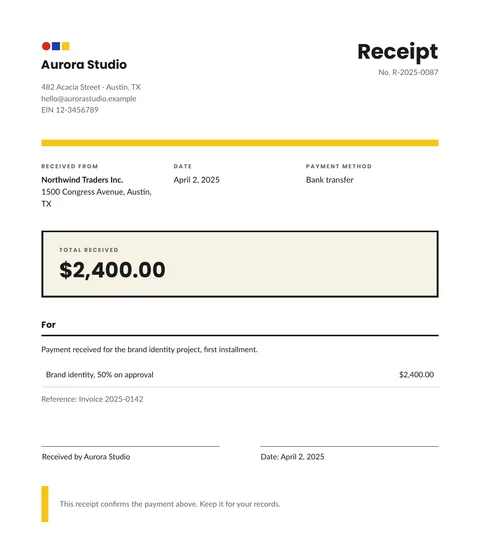
Free receipt template: HTML and PDF you can copy
A free receipt template in HTML and CSS with the payer, the date, the method, the amount received and a signature line. Copy it and use your own data.
2 min read
Free templates
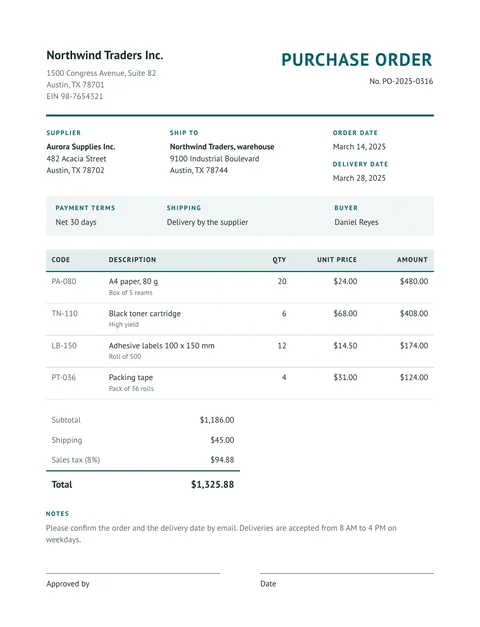
Free purchase order template: HTML and PDF you can copy
A free purchase order in HTML and CSS: buyer, supplier, delivery address, payment terms, an items table with totals and an approval line. Copy it and use your data.
2 min read
Free templates
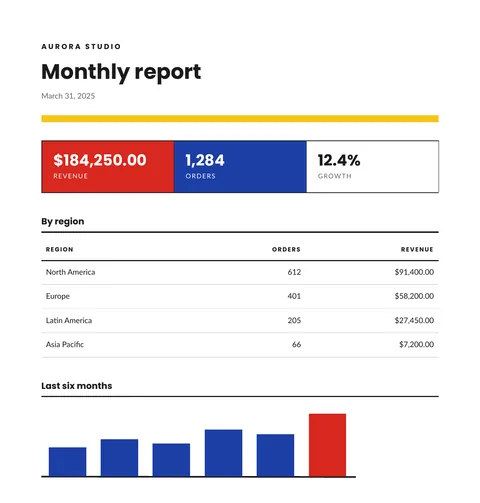
Free report template with KPIs, a table and a chart
A free monthly report template in HTML and CSS: three KPI tiles, a table by region and a bar chart drawn in SVG. Copy it and send your own data.
2 min read
Free templates
Free price list template: groups, items and prices in PDF
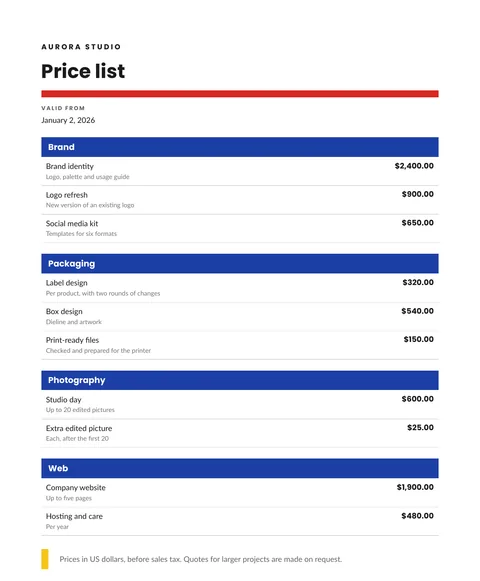
A free price list in HTML and CSS: items grouped by category, a short detail for each, prices in the right currency and a validity date. Copy it and send your data.
2 min read